
I’ve been on the hunt for an ice maker lately. Since I’m really into mobile application security, I decided to buy a smart ice maker just so I could take a closer look at its mobile app. I chose “Silonn” and installed the Android app “Silonn Smart.”
Spotting the Encrypted Traffic
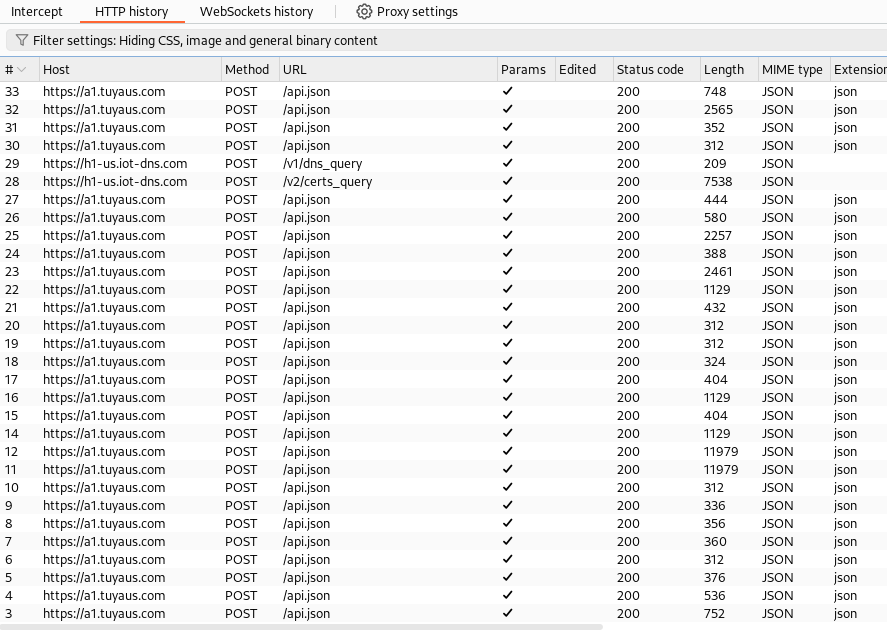
I was especially curious about the app’s client-server communications, so I decided to check out the network requests. I set up adb to proxy traffic through Burp Suite and was surprised to see that almost all the communications were POST requests to an api.json endpoint.
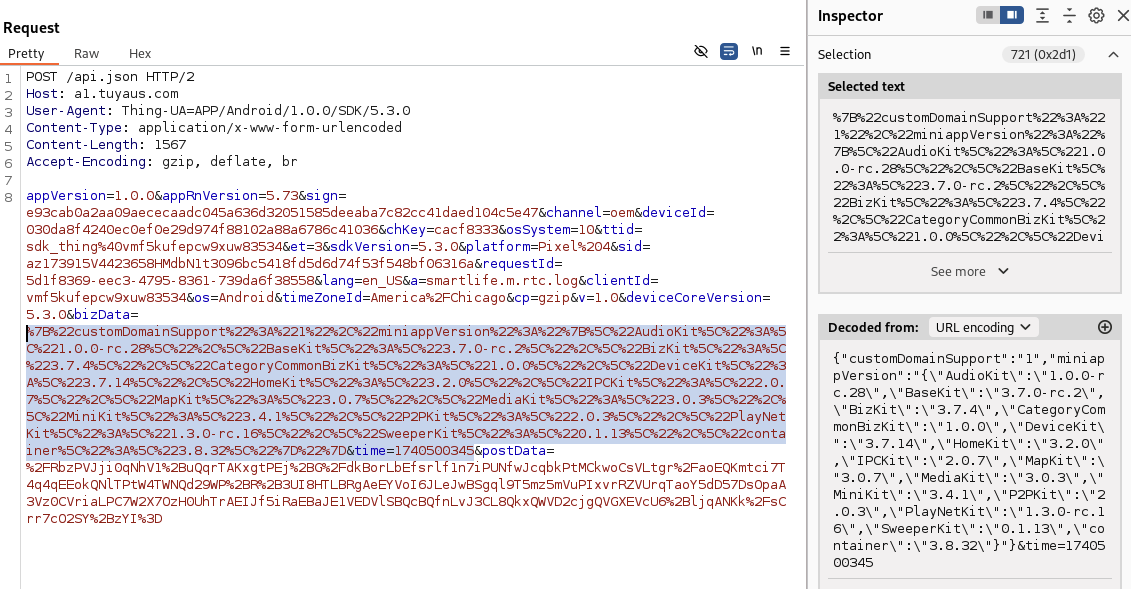
When I dug into the requests and examined each parameter, I noticed that the bizData parameter was URL-encoded. It seemed to only include package names and version information, which wasn’t very interesting.
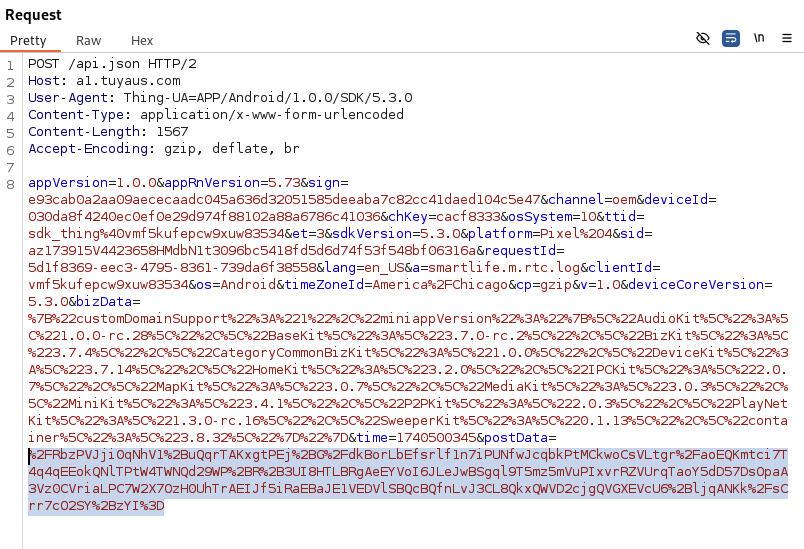
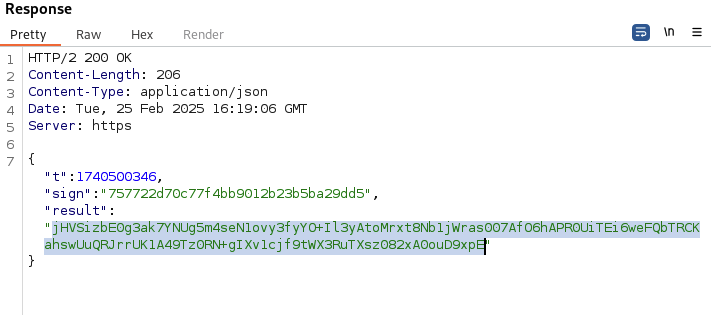
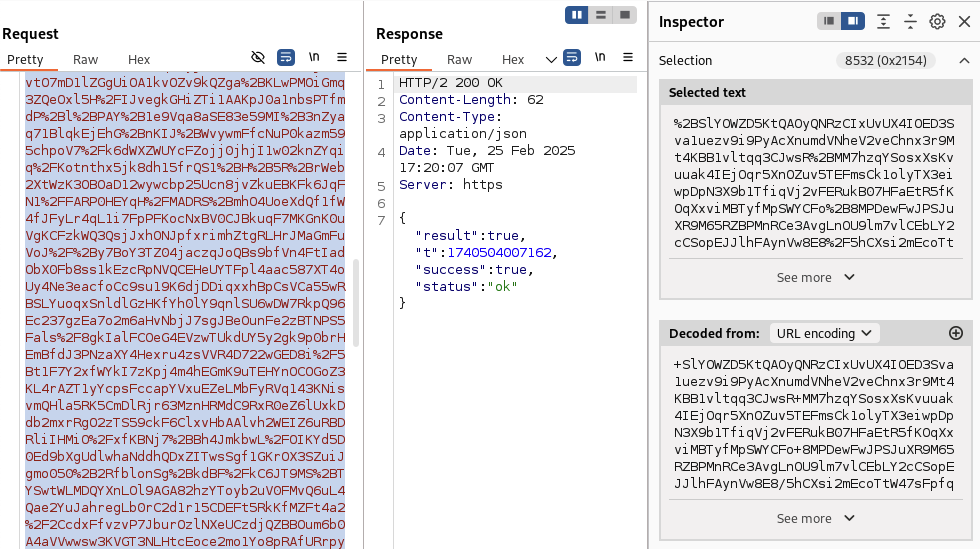
Next, I looked at the postData parameter and was surprised to find that it was encrypted. The response was encrypted as well.
This piqued my curiosity — why would a smart ice maker app go to such lengths to encrypt all its request and response data?
Finding the Right Class with JADX
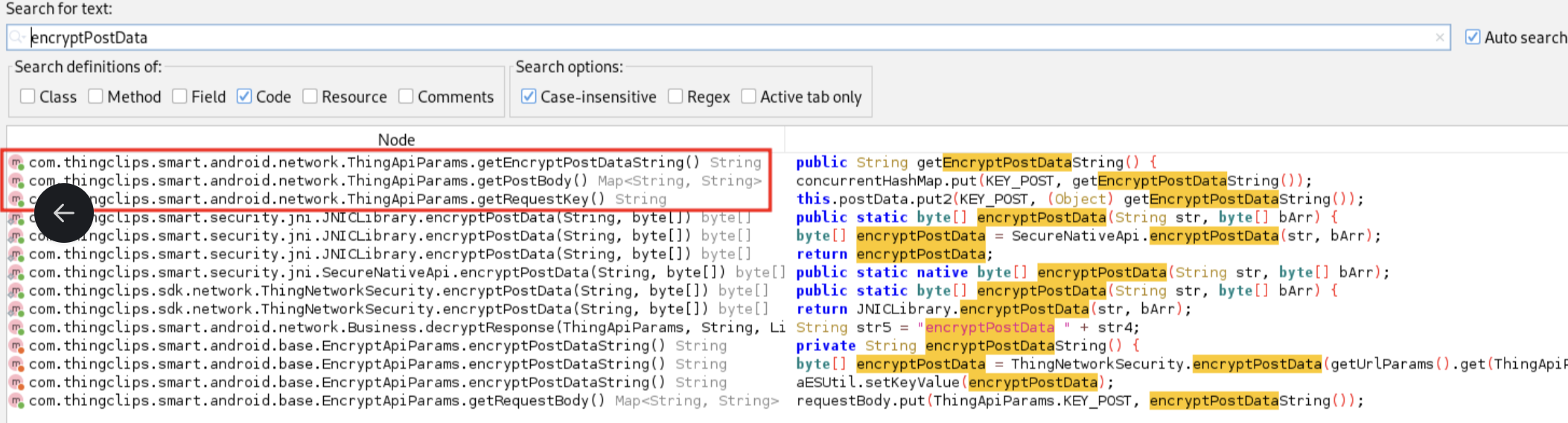
I needed to figure out which classes were handling the encryption and hook into them to see the data before it was encrypted. Using JADX to go through the code, I found the ThingApiParams class while searching for the postData parameter. This class caught my attention since nearly all data was being sent to the api.json endpoint.
Hooking with Objection
With that class in hand — which seemed responsible for handling the POST data before encryption — I started the app using Objection, a mobile toolkit powered by Frida. I then listed all the methods for the ThingApiParams class with Objection.
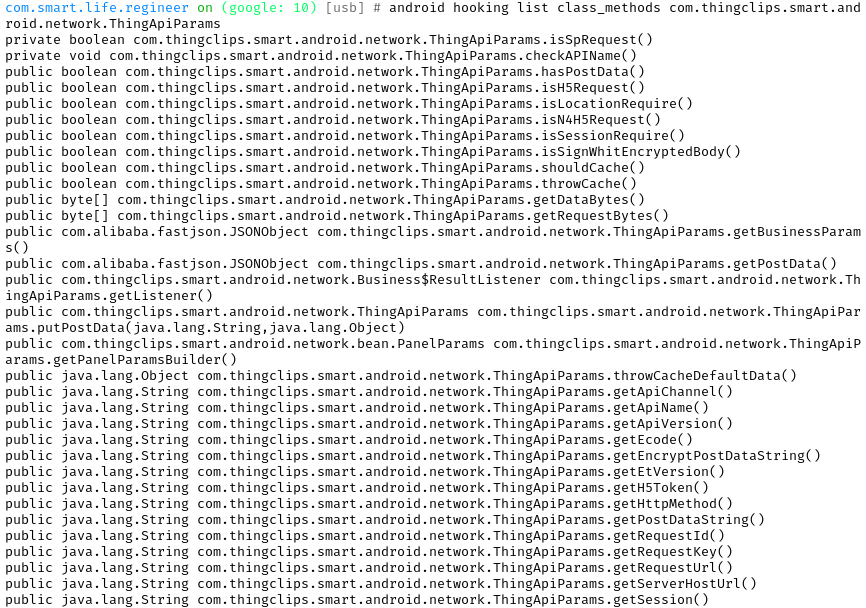
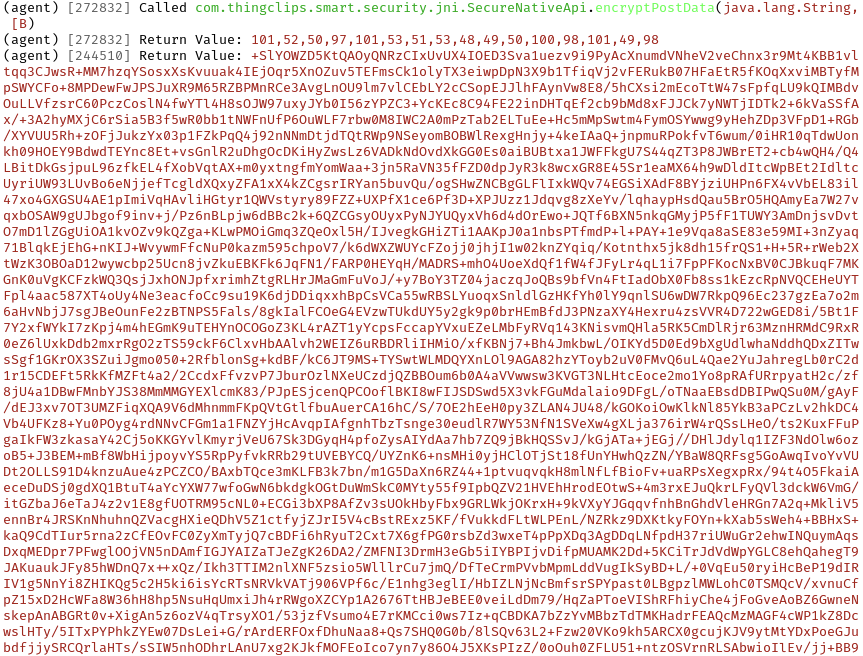
After reviewing the output, I hooked into each method that looked like it might perform what I was looking to uncover. Once I hooked the selected methods, I tested them by resending a login request, which finally exposed what was hidden in the encrypted POST data.

You can confirm the encryption process for the POST data in the same way, by hooking the method that encrypts the data to see the final encrypted result.
What I Found
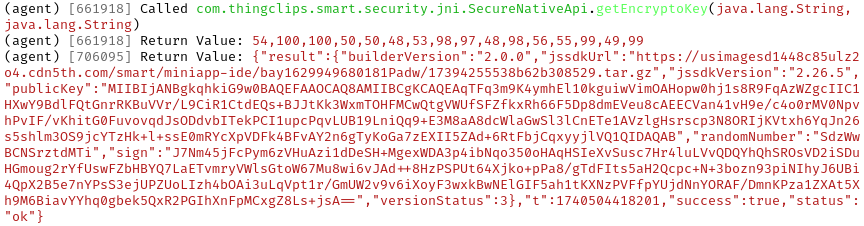
I began looking for anything interesting, such as AWS S3 buckets or keys, and found a few endpoints where avatar pictures are uploaded, along with a public key. I didn’t dig deeper to check if the public key was used for encrypting server communication sing I was doing this for fun, and nothing sent to the server seemed to raise any privacy concerns.

Conclusion
At this point, the next step would be to find the encryption key and use it to tamper with the requests. Since I didn’t have permission to do that, I stopped there.
But the walkthrough shows the broader point: runtime instrumentation with Frida and Objection turns “encrypted in transit” into “visible to anyone holding the phone.” JADX points you at the right class, Objection hooks the methods, and what the app thought it was hiding shows up in plaintext. None of this required exotic tooling, just a laptop, an Android device, and open-source frameworks anyone can install in an afternoon.
For Defenders
If your threat model includes someone with physical access to the app, network-layer encryption might not be the control you think it is. Certificate pinning, obfuscation, and anti-hooking checks raise the bar, but they don’t stop a motivated attacker in Frida.
The question for security leaders shipping mobile apps isn’t, “can this be reverse-engineered,” but instead, “what’s the blast radius when it is?” Hardcoded secrets, undocumented endpoints, and privileged operations exposed to the client are the findings that can turn a curiosity project into an incident.